Grapple Sniper Arena Pre-Match Settings Checklist
Verify sensitivity, graphics, audio, binds, and redeem access before you queue.
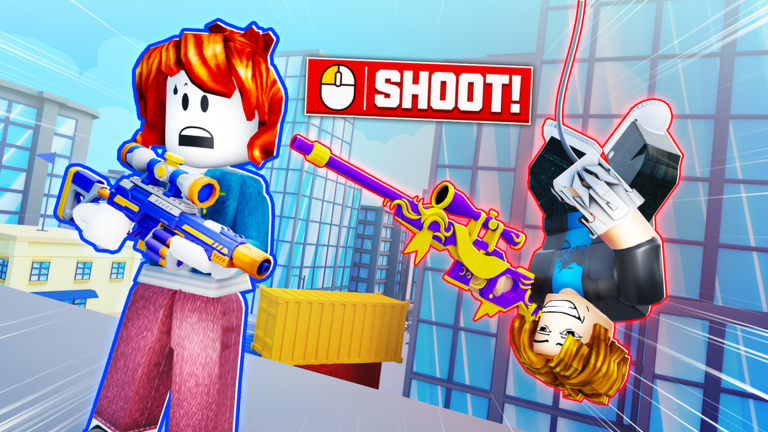
Use this Settings Checklist before every serious Grapple Sniper Arena block—especially after Roblox client updates or game patches. Two quiet minutes here prevent an entire night of “my grapple feels wrong” confusion. Parent hub: Tools.
Works on PC, Mobile, Tablet, Xbox, and PlayStation. Tick every line that applies to your device, then warm up with one Free For All traversal match from the Grapple Movement drills.
1) Launch and menu access
- You are in the official experience (Roblox game page, PlaceId
75407502025821). - Settings open via Gear icon or M on keyboard.
- You can scroll the full settings list without the UI freezing.
- You know where ENTER A CODE sits for later redeem checks (How to Redeem).
If Gear / M fails, rejoin once before changing anything else.
2) Sensitivity and camera
- Look / camera sensitivity is intentional—not left on a random default after a reset.
- You tested a 90-degree turn with a comfortable swipe (mobile) or mouse flick (PC).
- Mid-grapple tracking still feels controllable (retest while swinging, not only while standing).
- ADS sensitivity (if separate) does not overshoot heads on first peek.
- Mobile gyro / assist options match what you practiced in the Mobile Guide.
- Console deadzones are not so high that micro roof adjustments become impossible.
Deep aim habits: Aim Tips. Trickshot hunters should freeze sens for a week at a time (Trickshots).
3) Graphics and performance
- Frame rate feels stable during a full grapple + landing.
- You lowered effects if thermal throttling or hitching appears on phones.
- Enemy silhouettes remain readable on your chosen quality preset.
- You are not running a filter or overlay that hides UI buttons you need mid-fight.
Prefer smooth hooks over maxed shadows. Movement timing matters more than reflections in a 13-player arena.
4) Audio
- Master volume high enough to hear nearby fights.
- Headphones preferred for directional cues when possible.
- Music / non-essential audio not drowning footsteps or gunfire.
- Chat volume set so stack callers are clear without ear damage (Players Hub).
Audio wins CTF denials: you often hear a flag runner’s chaos before you see them. Pair with CTF Guide routes.
5) Binds and input verification
Confirm each action responds on first press:
- Fire / shoot
- Aim / ADS
- Jump
- Grapple
- Melee / knife / dropkick-related input as your device exposes it
- Menu / Gear still reachable under stress
Full device notes: Controls. If you swapped from mobile to PC today, re-learn the keyboard grapple key before ranked ego.
Dropkick converts need the melee timing window to be reachable without releasing camera control—see Dropkick Guide.
6) Code redeem path (even when no codes are live)
As of late November 2026, the Codes Hub still lists no active codes. Verify the path anyway so you are ready:
- Gear / M → scroll → ENTER A CODE field visible.
- You can focus the field and type (do not redeem random junk codes).
- You know to paste carefully on mobile to beat autocorrect.
- You will only redeem strings verified on the Codes Hub or trusted Grapple Sniper Arena community posts.
Detailed steps: How to Redeem Codes.
7) Fair-play and account hygiene
- No executor running in the background.
- You did not install a “mobile aim APK” from a random link.
- 2FA enabled on the Roblox account that holds your skins.
- You understand bans cover exploiting, cheating, alt farming, and bug abuse (Scripts, Script Safety).
8) Session intention
- Mode choice clear: warm-up FFA vs serious CTF.
- Playstyle locked from Playstyles for at least two matches.
- You skimmed Updates if the experience shows a new Updated date (see November 2026 for the late-Nov window).
- Map focus set—one landmark route from the Map Guide to rehearse first.
Quick device variants
PC: M key + mouse sens + frame cap comfort. Mobile: Landscape, paste-ready codes, thermal break every hot session. Tablet: Same as mobile with claw-friendly button spacing. Xbox / PlayStation: On-screen keyboard patience for codes; confirm deadzones.
After you finish the checklist
- Play one FFA match using only traversal grapples for the first minute.
- Take three intentional peeks with immediate exits (Map Guide).
- Attempt one clean latch → dropkick or leave.
- Then play your real block.
If something still feels off, change one setting at a time. Wholescale sens + graphics + binds changes in the same night make learning impossible.
Common checklist skips that cause tilt
- Ignoring audio and getting hooked from behind all night.
- Forgetting mobile landscape mode.
- Never confirming grapple bind after a controller reconnect.
- Assuming codes menu vanished forever when it was just a failed UI load.
- Blaming November patches without re-verifying sensitivity first.
Print this page mentally, run it fast, and queue with confidence. The Tools Hub exists so prep stays boring—and your grapples stay sharp.
Frequently Asked Questions
Quick answers to the most common Grapple Sniper Arena questions.
How often should I run the Grapple Sniper Arena settings checklist?
Before serious sessions and after any Roblox client update, device switch, or game patch that might reset options.
What if my sensitivity feels wrong after a patch?
Re-open settings, confirm the numeric value, then retest while grappling. Warm up one FFA match before changing other options.
Why verify the code menu when no codes are active?
So you can redeem instantly when a drop lands. Late November 2026 still has no active codes, but the Gear / M path stays the same.
Does this checklist include script setup?
No. Scripts risk bans. This page only covers fair settings, audio, binds, and redeem access.
Where do I go after finishing the checklist?
Warm up with Grapple Movement drills, then jump into FFA or CTF guides depending on your mode for the night.