Grapple Sniper Arena How to Redeem Codes
Step-by-step redeem flow for every supported device—plus what to do when nothing is active.
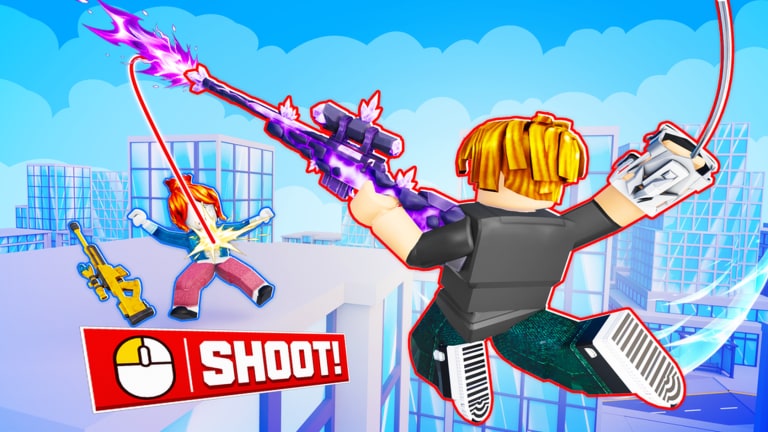
Promo codes in Grapple Sniper Arena unlock free Coins or cosmetic rewards when the developer releases them. This page is the deep redeem walkthrough for PC, Mobile, Tablet, Xbox, and PlayStation. For the live list of working strings, always start at the Codes Hub—as of late November 2026 (around 23 Nov) there are still no active codes, but the menu path never changes.
Developer Slunce zapadá ships the experience at PlaceId 75407502025821. Redeem only inside that game. Third-party “generators” are scams; see Script Safety if a site asks for your password.
Universal redeem path (all devices)
Every platform uses the same logical steps:
- Launch Grapple Sniper Arena on Roblox.
- Join a server (size cap 13—any public lobby works).
- Open settings with the Gear icon, or press M on a keyboard.
- Scroll until you see the ENTER A CODE field.
- Type or paste the code exactly (case and spelling matter).
- Tap or click REDEEM and wait for confirmation.
- Check inventory / Coins / skins shop if the reward was currency or a cosmetic.
If the field is missing, you are in the wrong experience, the UI failed to load, or a patch temporarily moved the panel—rejoin once and confirm you are on the official place.
PC (keyboard and mouse)
- Click Play on the Roblox page and wait for the arena to stream.
- Press M or click the Gear icon.
- Scroll with the mouse wheel to ENTER A CODE.
- Click the field, paste with Ctrl+V (or type carefully).
- Click REDEEM.
- Press Esc / close settings and continue the match.
PC players often redeem between deaths in Free For All. Avoid opening menus while swinging a grapple mid-fight—finish the life, then redeem. Bind reminders live in Controls.
Mobile and tablet (touch)
- Join from the Roblox app in landscape for easier typing.
- Tap the Gear icon (placement can vary slightly by UI scale).
- Scroll the settings list with your thumb to ENTER A CODE.
- Tap the field; use paste from your clipboard when possible to avoid typos.
- Tap REDEEM and wait for the success state.
- Close settings; confirm Coins or skins updated.
On phones, autocorrect can sabotage codes. Paste from Notes, or disable autocorrect temporarily. More touch habits: Mobile Guide. Tablet screens make the Gear icon and redeem field easier to hit without mis-taps.
Xbox and PlayStation (controller)
- Launch Roblox on console and open Grapple Sniper Arena.
- Use the on-screen Gear affordance via the controller cursor / highlighted menu button (exact face-button prompts follow Roblox’s current console UI).
- Navigate down to ENTER A CODE.
- Open the on-screen keyboard, enter the string carefully, confirm.
- Select REDEEM.
- Back out to gameplay.
Console typing is slower—copy codes from a verified post on your phone first and enter calmly. Do not rush while a Capture the Flag round is deciding; redeem between rounds or in FFA.
What success and failure look like
Success: A confirmation toast or clear UI message, plus Coins / cosmetic granted. Note the reward so you know whether to visit the skins shop next (Skins & Coins).
Failure / no response:
- Code expired or never existed—recheck the Codes Hub.
- Already redeemed on this account—codes usually bind once per user.
- Typo, extra space, or wrong casing—retype from a trusted source.
- Soft UI desync—leave to Roblox home, rejoin PlaceId
75407502025821, try once more. - Wrong game—search titles carefully; several grapple shooters exist.
Never “verify” a code on a random website that asks you to log in. Official redeem happens only in the Gear / M menu.
Current status context (late November 2026)
Community checks through late November 2026 still show zero active Grapple Sniper Arena codes. Visits sit around the multi-million mark with strong concurrent spikes after the 20–23 November patch window (November 2026 updates). Milestone codes sometimes appear when favorites, likes, or CCU surge—bookmark the Codes Hub and the Grapple Sniper Arena Discord / developer group for announcements.
Until a string goes live, spend your time on gameplay progression: Getting Started, Grapple Movement, and the Tier List. Codes are bonuses, not a substitute for Coins earned in FFA and CTF.
Pre-redeem checklist
Use this whenever a new code drops:
- Confirm the string on the Codes Hub or a trusted Grapple Sniper Arena community post—not a random DM.
- Confirm you are on the correct Roblox account (the one that owns your skins).
- Join the real experience (UniverseId
10769580813/ PlaceId75407502025821). - Open Gear / M → ENTER A CODE → REDEEM.
- Screenshot success if you need proof for friends.
- Continue playing; do not idle in menus while the lobby fights.
Optional: run the broader settings checklist the same day so sensitivity and audio are correct before you grind the reward cosmetics.
Scams to ignore
- Sites claiming infinite code lists that require surveys or downloads.
- Discord users selling “private codes” for Robux or gift cards.
- Executors that promise auto-redeem plus aimbot (Scripts Hub).
- Fake customer-support accounts asking for your password after a failed redeem.
Slunce zapadá bans exploiting, cheating, alt farming, and bug abuse. Keep redeeming clean.
After you redeem
- If you received Coins, decide buys with Skins & Coins and Skins tier.
- If you received a Grapple / Sniper / Knife skin, test visibility in one FFA match before locking it as your main look.
- Recheck Updates in case the code dropped alongside a physics tweak you need to relearn.
Redeem skill is simple; verification discipline is the hard part. Master the Gear / M path once on each device you own, then return to the Codes Hub whenever the community shouts that a new string is live.
Frequently Asked Questions
Quick answers to the most common Grapple Sniper Arena questions.
How do I redeem a Grapple Sniper Arena code?
Join the game, open Gear or press M, scroll to ENTER A CODE, type the code exactly, then tap REDEEM.
Are there active codes right now?
As of late November 2026 there are still no active codes. Check the Codes Hub after Discord or update announcements.
Does redeem work on mobile and console?
Yes. Mobile, tablet, Xbox, and PlayStation all use the Gear settings path; PC can also press M.
Why did my code fail?
It may be expired, mistyped, already redeemed, or entered in the wrong experience. Rejoin the official place and recheck the Codes Hub.
Can websites generate Grapple Sniper Arena codes?
No. Generators are scams. Only redeem through the in-game ENTER A CODE field from verified strings.